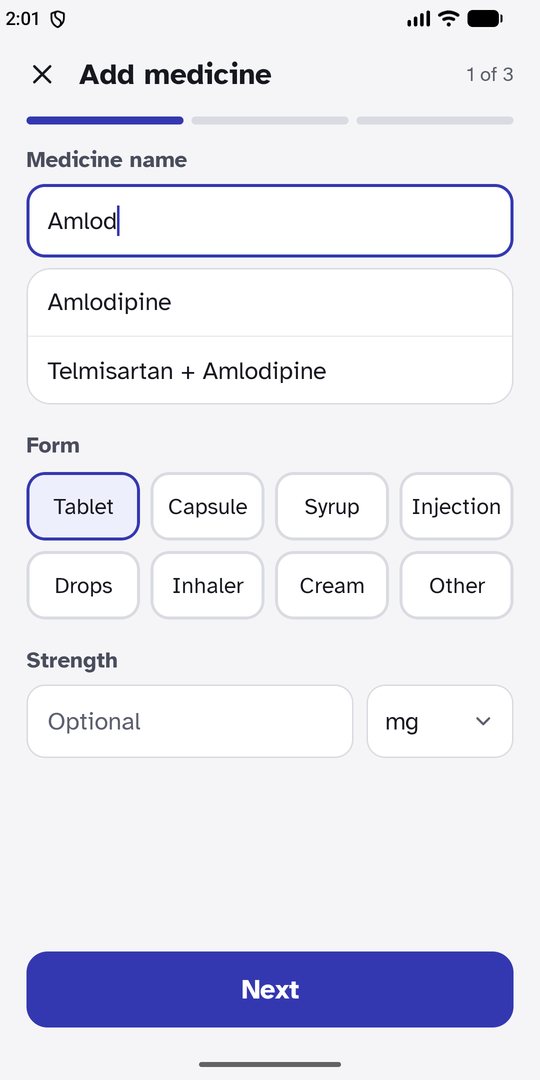
Add a medicine in three steps
Type a few letters and pick the name. Choose every day, specific days, every few days or only when needed, with up to eight times a day, half tablets, syrups, drops and inhalers.
Coming soon · Android
PingMeMeds rings when it is time for each medicine: on time, over the lock screen, with no internet, for everyone you look after. No account, no ads, and nothing leaves your phone.
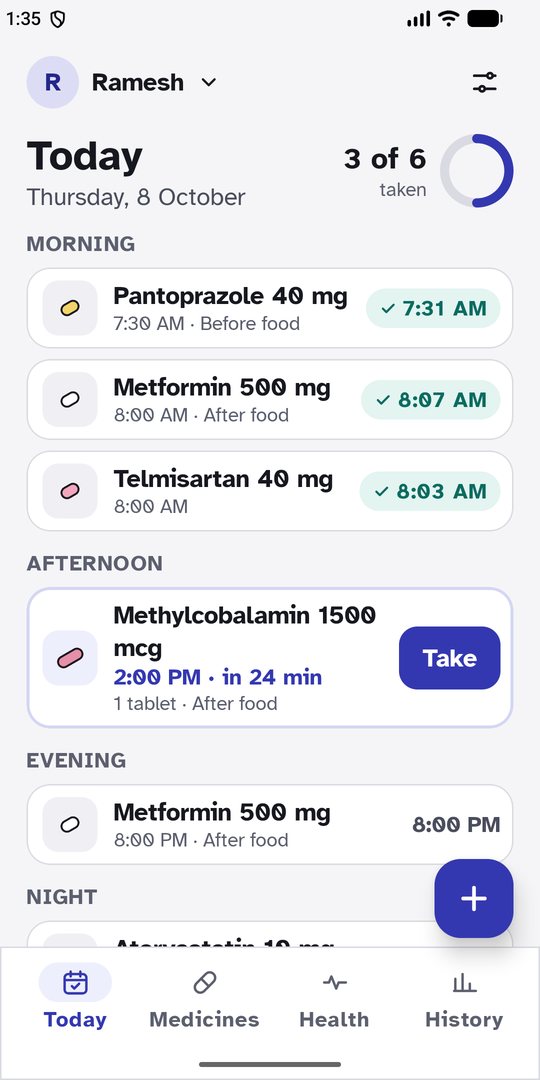
A day with PingMeMeds
Type a few letters and pick the name. Choose every day, specific days, every few days or only when needed, with up to eight times a day, half tablets, syrups, drops and inhalers.
Today shows every dose by morning, afternoon, evening and night, what is taken, and how long until the next one. One tap on Take, and Undo if you tapped by mistake.
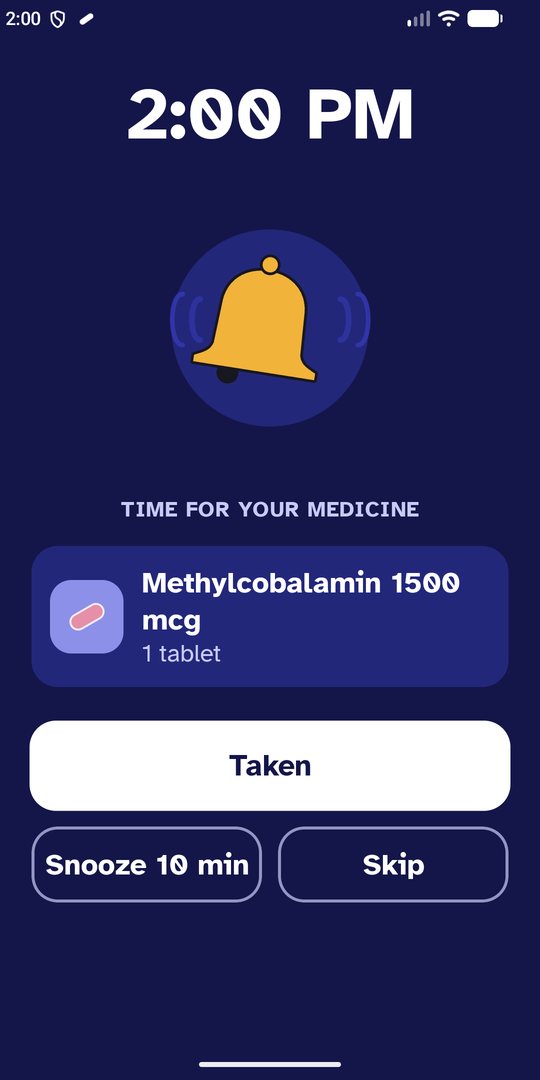
The screen lights up and rings like an alarm clock, at alarm volume, starting soft and growing louder. Taken, Snooze or Skip in one tap. Not answered? It asks again every 5 minutes for half an hour.
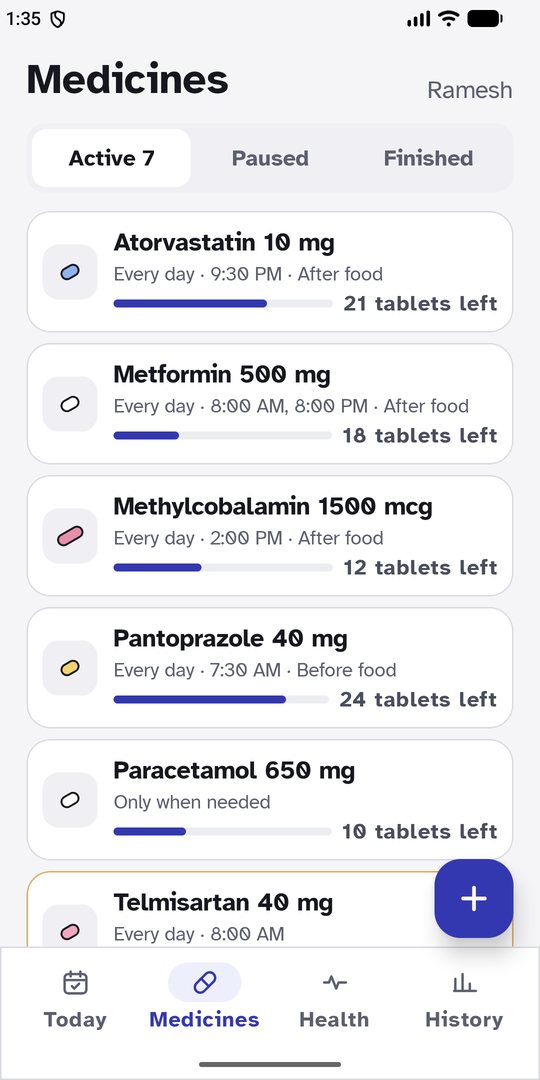
Each dose you take is counted off. Every medicine shows how many are left and when it will run out, and a running-low medicine is marked in amber.
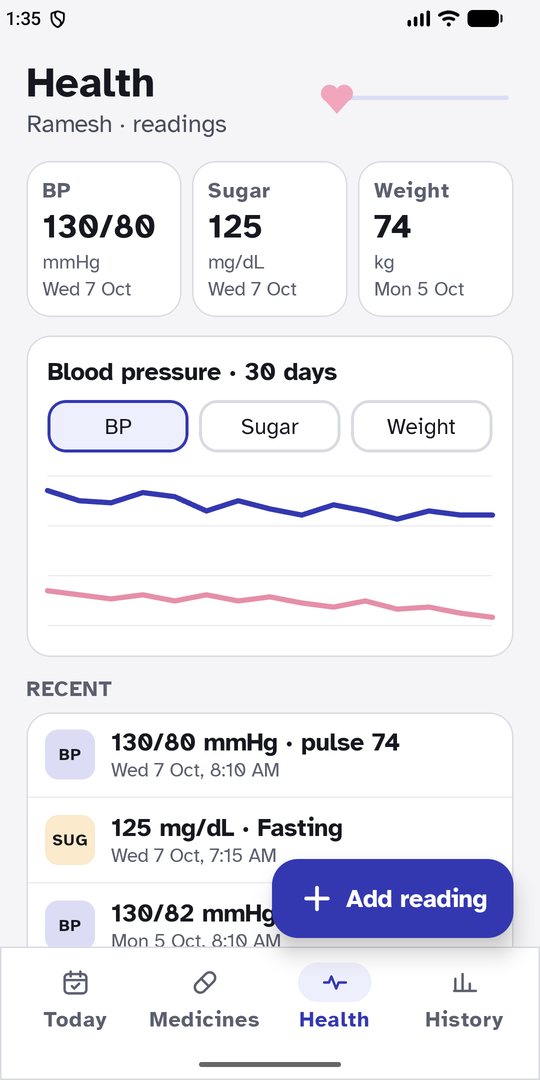
Blood pressure with pulse, blood sugar fasting or after a meal, weight, SpO₂ and temperature, in big fields that are easy to fill in. Pro draws the last 30 days as a chart.
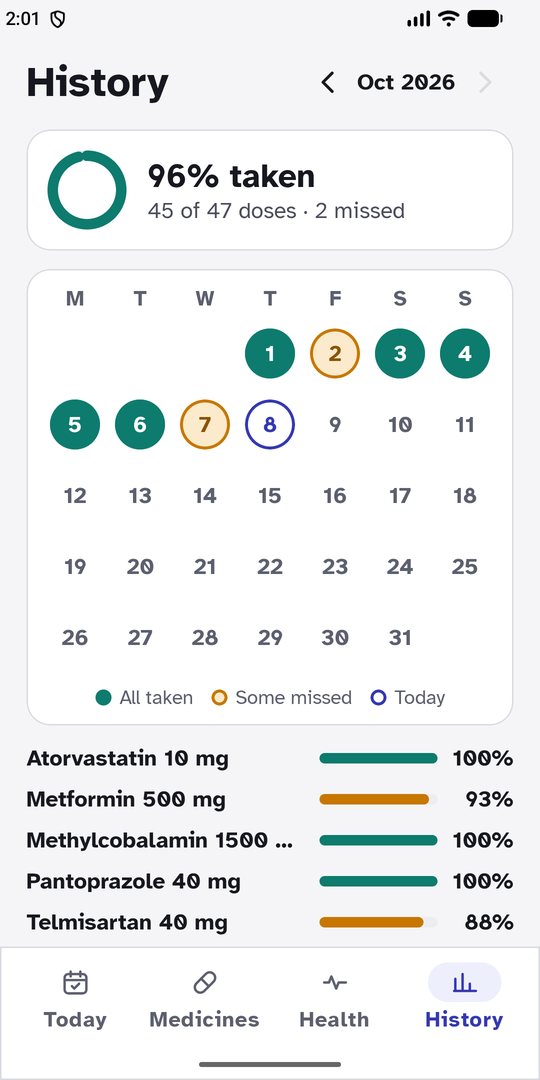
A calendar shows the days everything was taken and the days something was missed, with a percentage for each medicine. Tap a day to see each dose, or to mark one you forgot to tick.
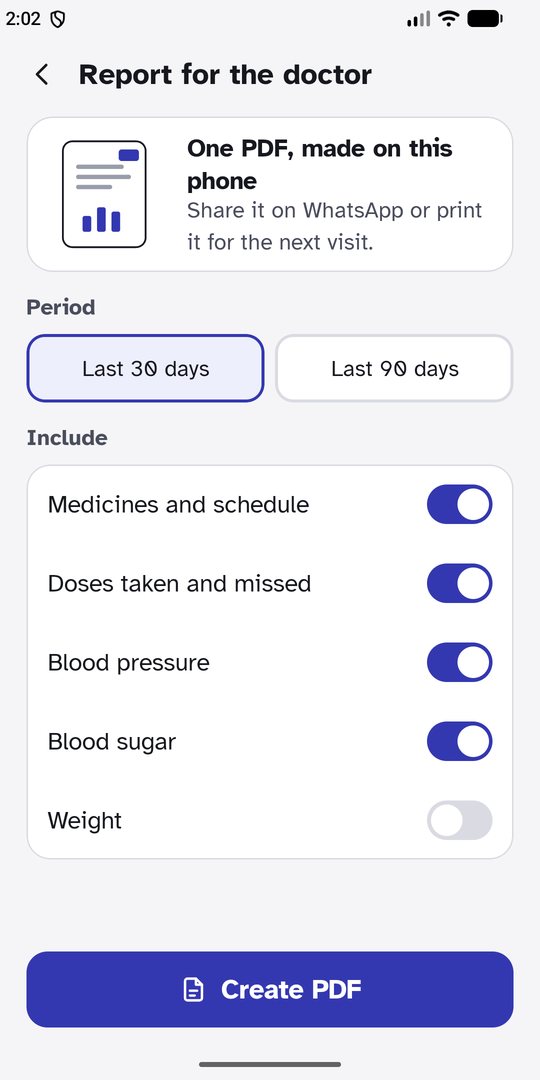
Pro turns the last 30 or 90 days into a PDF made on your phone: medicines and times, how many doses were taken, which ones were missed, and your readings. Share it on WhatsApp or print it.
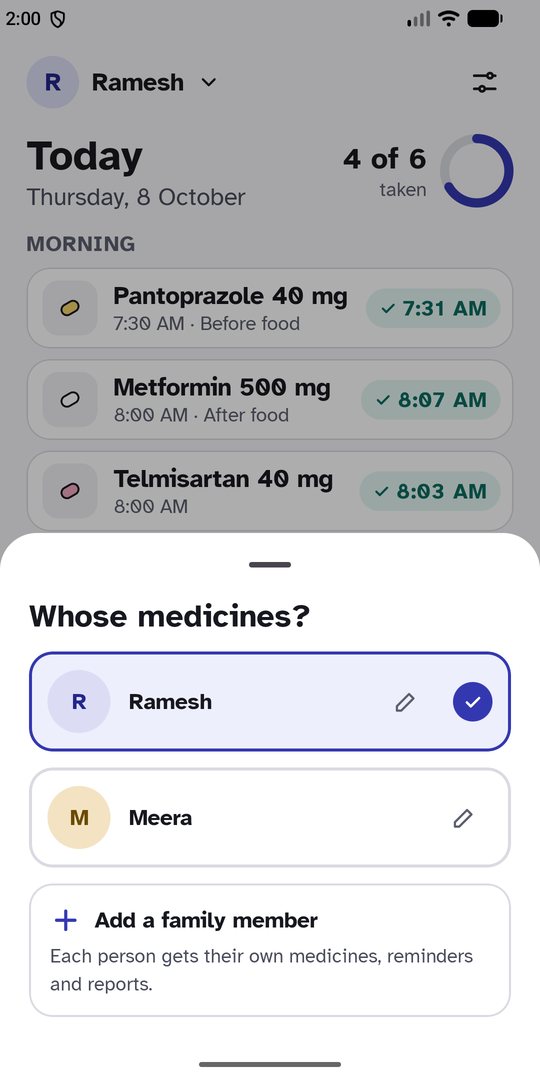
With Pro, add parents, children or a partner. Each person has their own medicines, readings and report, and every reminder says whose medicine it is.
Made for real days
Every reminder is set on the phone itself, so it rings in a village, on a flight or with data switched off.
A full-screen reminder with big buttons, like an alarm clock. Restarted phone? Reminders are set again by themselves.
Not answered? It rings again every 5 minutes for half an hour. Snooze holds only that medicine; the next one still rings on time.
Atkinson Hyperlegible, made for low vision, in three sizes, with light and dark themes and large touch targets.
Every screen in both languages. On Android 13 and newer, PingMeMeds can use a different language from the rest of the phone.
Daily, chosen weekdays, every few days, or as needed. Start and end dates for a course of antibiotics. Pause and resume without losing history.
Save everything to one file and restore it on a new phone. You choose where it goes; we never see it.
Phones silence apps to save battery. One screen shows what your phone needs and opens the right setting, with a test reminder to be sure.
Private by design
Medicines, doses and readings are kept only on your phone. There is no account to make, no server to send them to and nothing in the app that tracks you. The doctor report is drawn on the phone, and you decide who gets it.
Free and Pro
Everything one person needs.
For everyone you look after.
Monthly, or a one-time Lifetime purchase, through Google Play. Prices at launch.
Early access
PingMeMeds is in testing on Google Play. Leave the email of the Google account you use on your Android phone, and we'll add you as a tester and send you the link.
Questions
No. Reminders, history, readings and the doctor report all work offline. Only buying Pro uses Google Play.
Yes. It shows a full-screen reminder over the lock screen and rings with your alarm sound, like an alarm clock. The Reminder check screen helps you allow what your phone needs for that.
Yes. With Pro, add each person on your phone and every reminder shows whose medicine it is. Or install PingMeMeds on their phone too: the free app covers one person.
Save a backup file from Settings, keep it somewhere you trust, and restore it on the new phone. On the new phone, Restore purchase brings back Pro.
No. PingMeMeds reminds you of the medicines and doses you enter. It does not give medical advice; always follow your doctor's instructions.
PingMeMeds is in final testing for Android. Join early access to test it first; this page will link to Google Play as soon as it is live.
More answers in Help.